
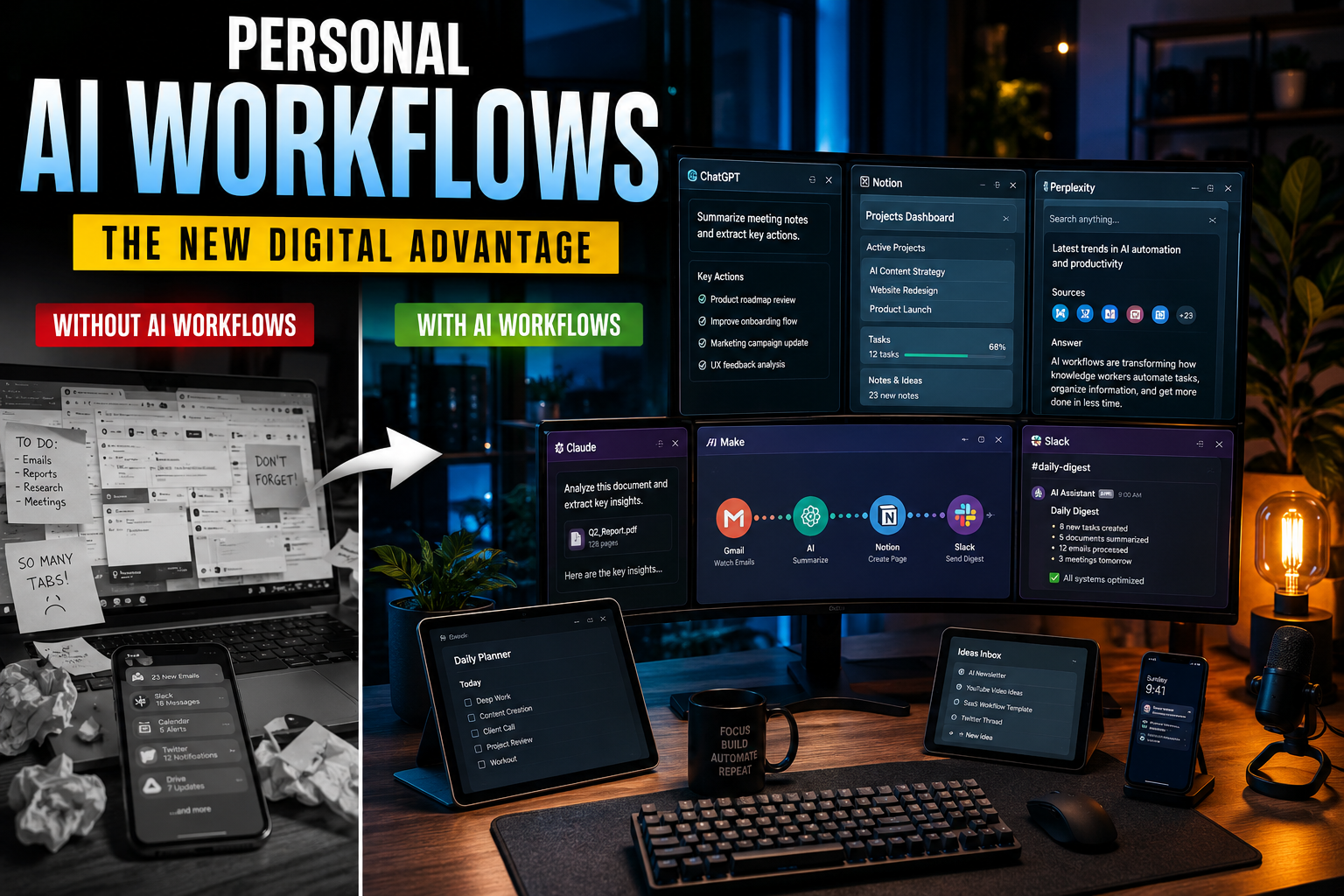
Artificial intelligence is no longer just a tool you open in a browser tab. It’s not only Tony Stark who has his own JARVIS anymore – everyone can build (or even buy) one these days. For a growing number of people, building personal AI workflows is becoming part of their daily operating system.
Writers are building AI research assistants. Designers are automating repetitive production tasks. Founders are creating personal dashboards that summarize meetings, emails, and analytics. Even students are turning ChatGPT, Notion AI, and automation tools into custom “second brains.”
The shift happening right now is bigger than simply using AI apps. People are building personal AI workflows – connected systems that save time, reduce mental load, and automate parts of everyday work.
And in 2026, that trend is accelerating fast.
What Is a Personal AI Workflow?
A personal AI workflow is a combination of:
- AI tools
- automations
- apps and services
- prompts
- templates
- connected data sources
…all working together to help you complete tasks faster and smarter.
Instead of using AI manually every time, people are building repeatable systems. For example:
Why This Trend Exploded Recently
1. AI Tools Finally Became Good Enough
A year ago, many AI tools felt experimental.
Now tools like OpenAI ChatGPT, Anthropic Claude, Notion AI, and Perplexity AI can reliably:
- summarize information
- generate usable drafts
- analyze documents
- write code
- structure data
- brainstorm ideas
- automate repetitive tasks
For many people, the quality crossed the threshold from “interesting” to genuinely useful.
2. Work Has Become Overwhelmingly Digital
Modern work is fragmented across dozens of apps:
- Slack
- calendars
- docs
- CRMs
- project management tools
- analytics dashboards
- social media
People are drowning in context switching.
Personal AI workflows help unify all that information into something manageable.
Instead of manually checking five apps, users increasingly rely on AI summaries, smart dashboards, and automated task flows.
3. AI Automation Is No Longer Technical
You no longer need to be a developer to build automations.
Platforms like Zapier, Make, and n8n allow non-technical users to connect AI with hundreds of services.
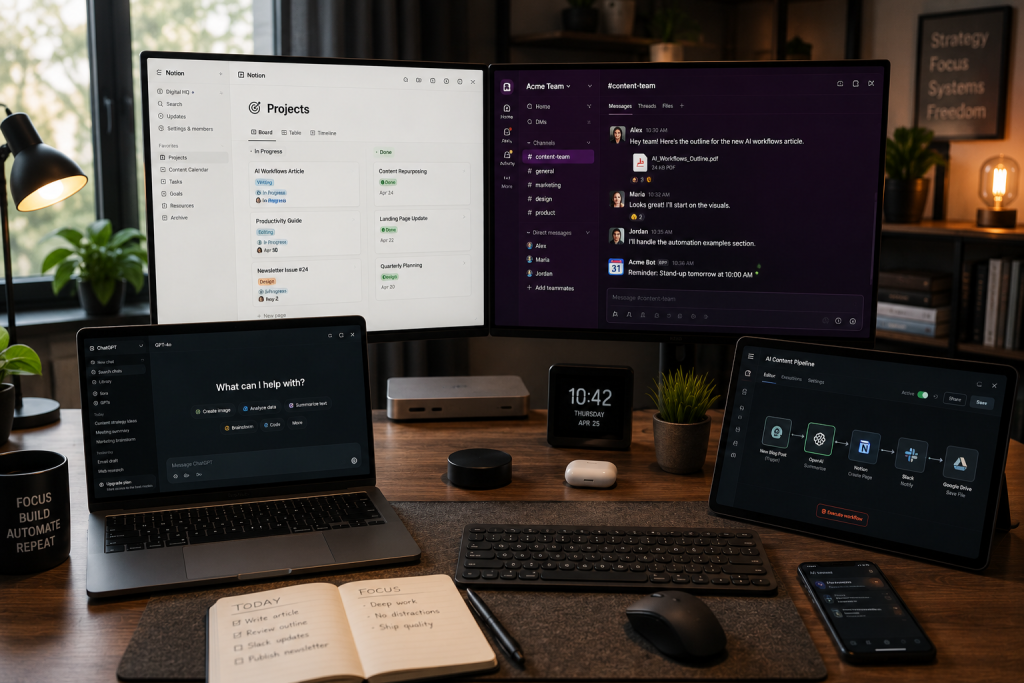
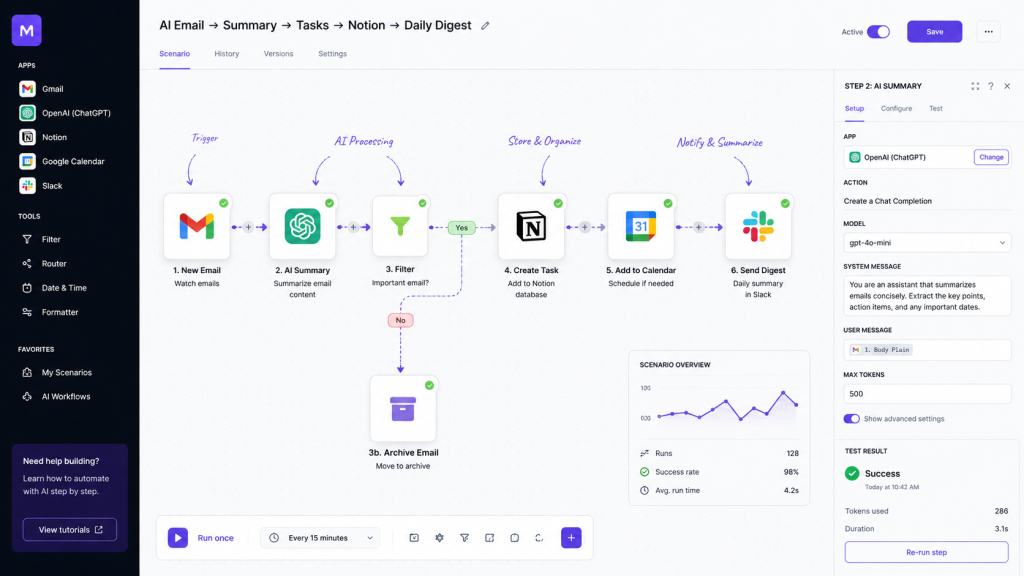
A modern workflow might look like this:
- New email arrives
- AI summarizes it
- Important tasks are extracted
- Tasks are added to Notion
- Daily digest is generated automatically
That kind of system used to require custom software development. Today it can be built in an afternoon.
The Rise of the “AI Second Brain”
One of the biggest ideas driving this movement is the concept of a personal AI assistant that remembers, organizes, and surfaces information when needed.
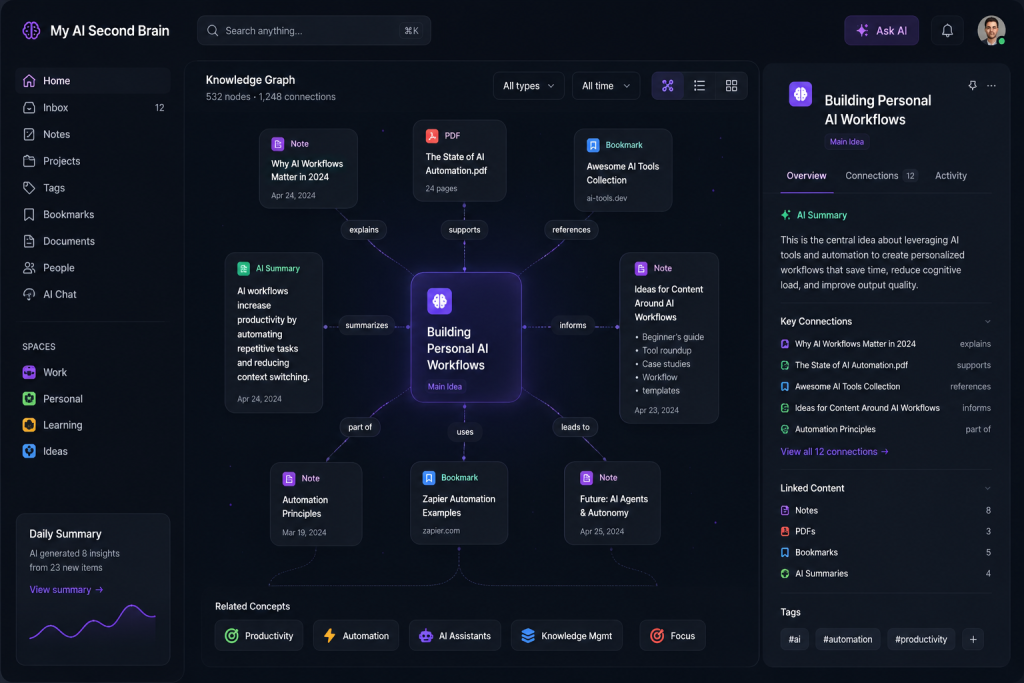
People are increasingly building systems that:
- store notes and research
- summarize articles and videos
- track goals and projects
- organize bookmarks
- generate insights from personal data
- help with decision-making
This is why tools like:
- Notion
- Obsidian
- Readwise
- Mem
…are increasingly integrating AI deeply into their ecosystems.
People don’t just want storage anymore. They want systems that think alongside them.
The Most Popular Personal AI Workflows Right Now
Content Creation Workflows
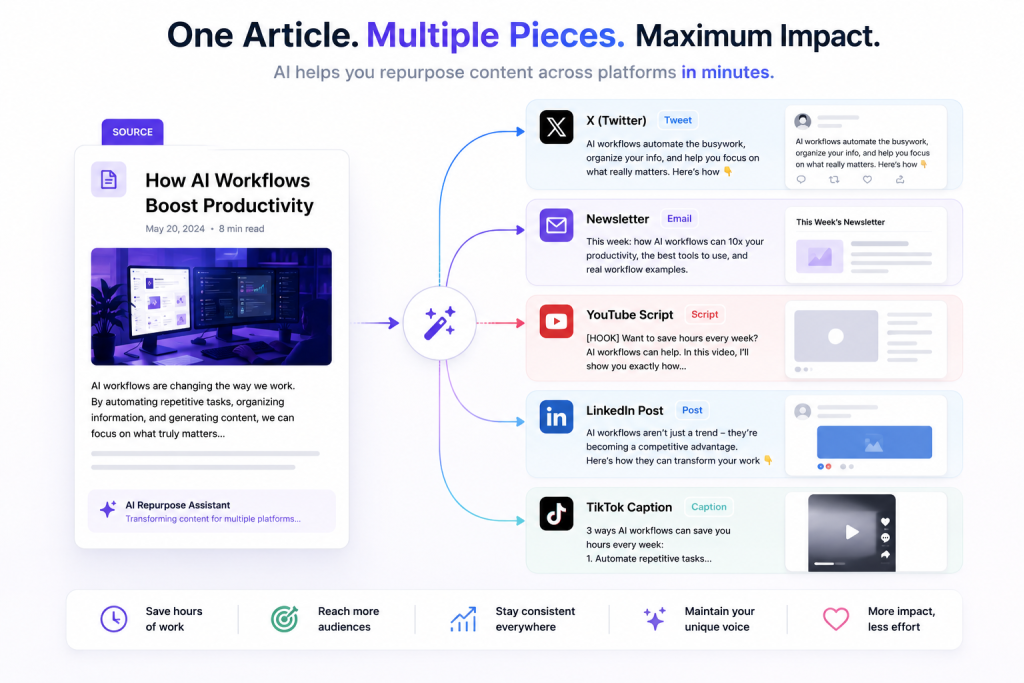
Creators and marketers use AI to:
- generate outlines
- rewrite content for multiple platforms
- create titles and hooks
- summarize research
- generate image prompts
- schedule content
One long article can become:
- a LinkedIn post
- an X thread
- a newsletter
- short-form video scripts
- Instagram captions
…within minutes.
Productivity & Task Management
AI-powered productivity stacks are becoming extremely common.
Typical setup:
- ChatGPT or Claude for thinking/writing
- Notion for organization
- Zapier or Make for automation
- Calendar integrations for scheduling
- AI transcription tools for meetings
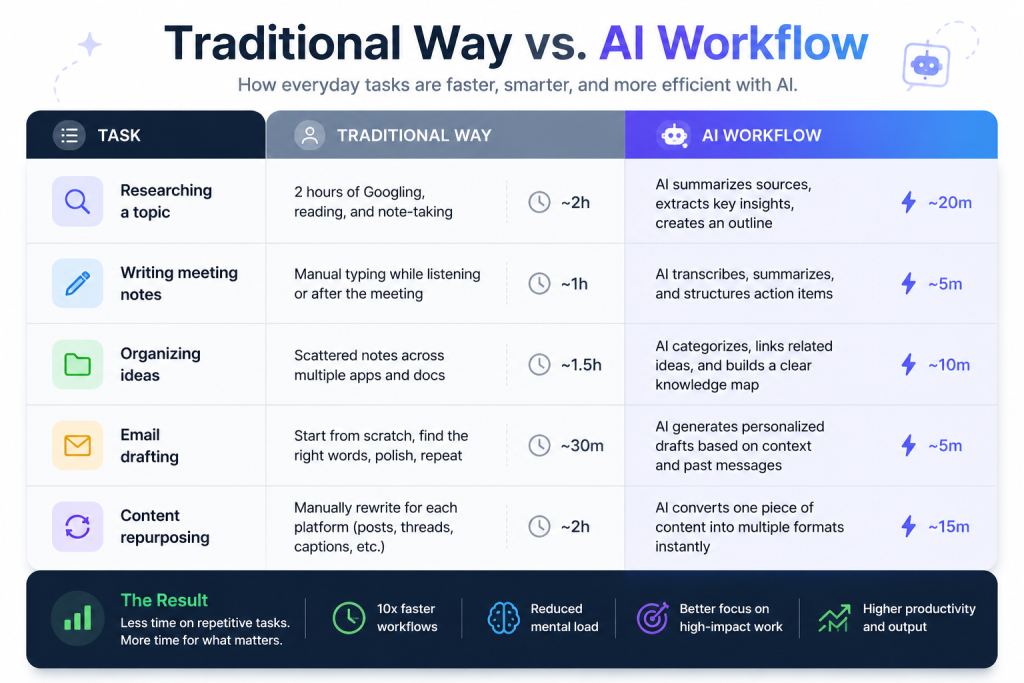
The result is less manual admin work and fewer forgotten tasks.
Personal Knowledge Management
Many users are creating searchable AI archives of:
- notes
- PDFs
- bookmarks
- meeting transcripts
- saved articles
- voice memos
Instead of manually searching folders, they can ask natural-language questions like:
“What were the best ideas from my meetings about onboarding optimization?”
That changes how people interact with information entirely.
Coding & Development
Developers are among the heaviest AI workflow users.
Tools like GitHub Copilot and AI coding assistants help with:
- boilerplate code
- debugging
- documentation
- testing
- refactoring
- architecture brainstorming
Many solo founders can now build MVPs dramatically faster than before.
The Real Reason People Are Doing This
It’s not just about productivity.
It’s about reducing cognitive overload.
Modern digital life creates constant information pressure:
- too many tabs
- too many messages
- too many notifications
- too many decisions
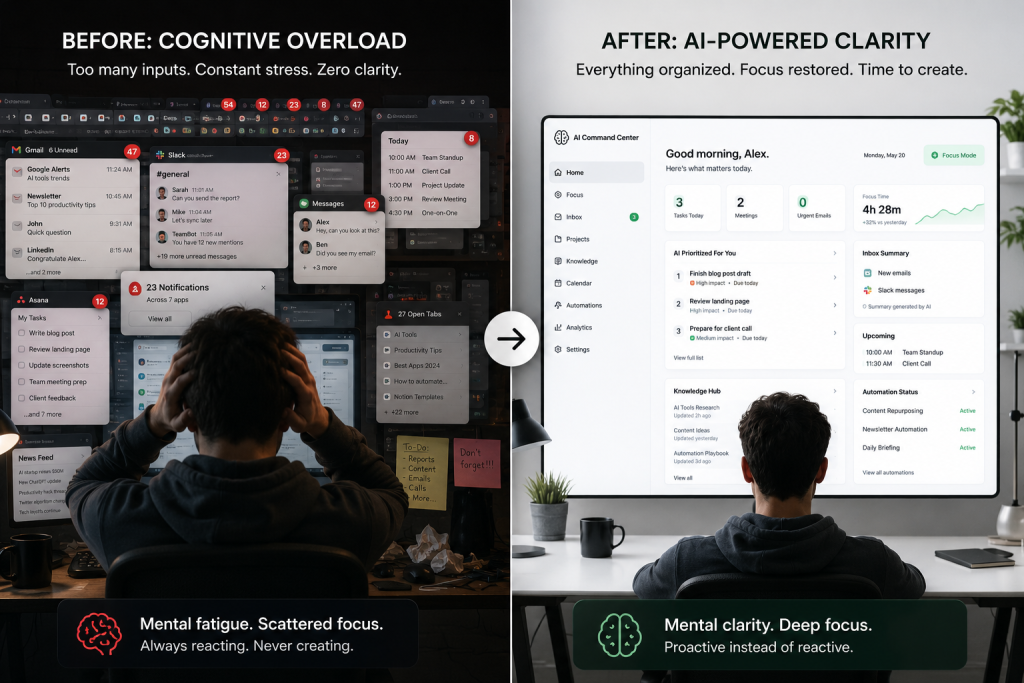
Personal AI workflows act like cognitive compression systems.
They help people:
- filter noise
- prioritize information
- automate repetitive thinking
- reclaim mental energy
That’s why this trend feels different from previous productivity fads.
It’s not just optimization. It’s delegation.
The Downsides Nobody Talks About
Of course, there are tradeoffs.
Workflow Complexity
Ironically, some AI workflows become so complicated that maintaining them turns into a job itself.
Over-automation can create fragile systems that break constantly.
Privacy Concerns
Many AI tools process:
- personal notes
- emails
- meeting transcripts
- sensitive business data
Users should understand where their data goes and how it’s stored.
AI Dependency
There’s also a growing risk of relying too heavily on AI for:
- writing
- decision-making
- memory
- research
The best workflows usually combine AI assistance with human judgment – not replace it entirely.
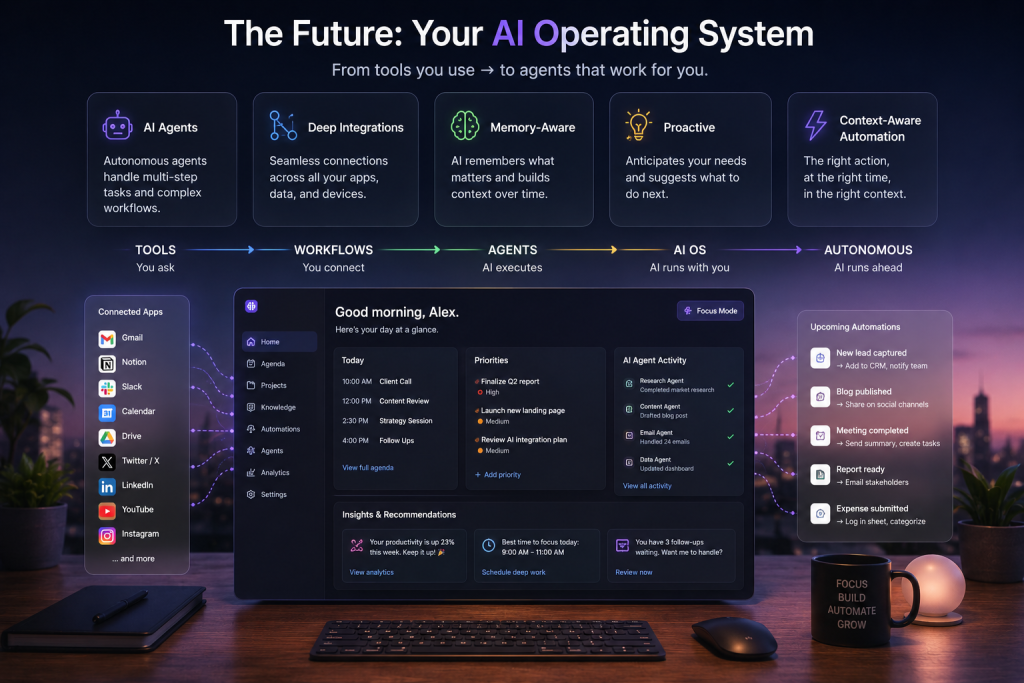
Where This Is Going Next
The next phase is likely more personalized and autonomous AI systems.
Instead of isolated tools, we’ll see:
- AI agents handling sequences of tasks
- deeper integrations across apps
- memory-aware assistants
- proactive recommendations
- context-aware automation
In other words, AI workflows may evolve into personal operating systems.
And for many knowledge workers, that transition has already started.
Final Thoughts
Personal AI workflows are becoming popular because they solve a very modern problem: digital overload.
People want systems that:
- reduce repetitive work
- organize information
- automate low-value tasks
- free up time for creative and strategic thinking
Right now, the biggest advantage isn’t necessarily having the smartest AI.
It’s building the best system around it.
FAQ
What is a personal AI workflow?
A personal AI workflow is a system where AI tools, automations, and apps work together to help automate tasks, organize information, and improve productivity.
Do you need coding skills to build AI workflows?
No. Many modern tools like Zapier, Make, and Notion AI allow non-technical users to create powerful workflows visually.
What are the best tools for AI workflows?
Popular tools include:
Are AI workflows worth it?
For many people, yes – especially creators, developers, marketers, founders, and remote workers who deal with large amounts of digital information daily.